
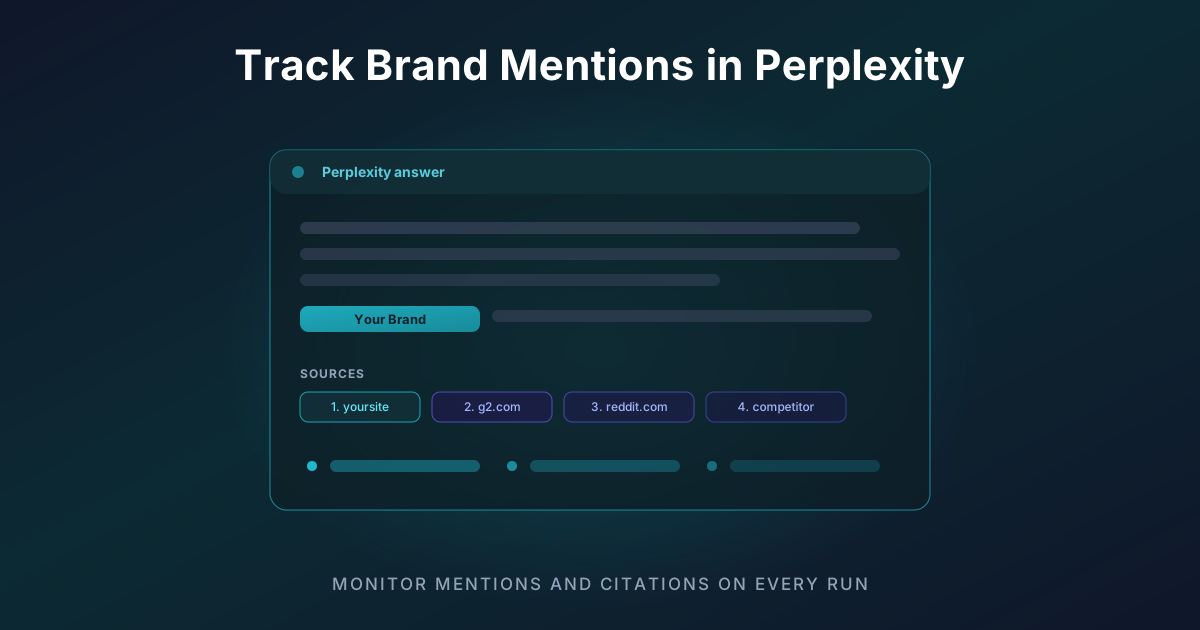
How do I track brand mentions in Perplexity?
To track brand mentions in Perplexity, you run a fixed set of buyer-intent prompts through Perplexity on a schedule, record whether your brand is named in each answer and whether your domain appears in the citation list, then measure how that changes over time. You can do it manually with a spreadsheet, or automate the whole loop with a dedicated Perplexity brand tracking tool.
That is the short answer. Below is the full, repeatable process - the same workflow SEO and marketing teams use to turn Perplexity from a black box into a measurable discovery channel.
Why Perplexity mentions are worth tracking
Perplexity has grown past 30 million monthly active users, and unlike a traditional chatbot it runs a live web search for every question and shows its sources. That makes it the single most diagnostic AI surface you can optimise for: when your brand is missing, Perplexity literally tells you which domains beat you.
Every day your buyers ask Perplexity things like:
- "What is the best [your category] tool?"
- "[Competitor] alternatives"
- "Is [your brand] any good?"
If Perplexity does not mention you - or cites a competitor instead - you are invisible at the exact moment of research. Tracking is how you find out, and it is the first step of any generative engine optimization program.
What counts as a "brand mention" in Perplexity
Perplexity visibility has two distinct layers, and good tracking captures both:
- Mention - your brand name appears in the answer text Perplexity writes.
- Citation - your domain appears in the numbered source list under the answer, whether or not the text names you.
You can be cited without being mentioned (Perplexity read your page but named someone else) or mentioned without being cited (the wider web talks about you, but your own pages are not being pulled in). Both gaps are fixable, and you cannot close them without measuring them separately. The Perplexity rank tracker records both on every run.
How to track brand mentions in Perplexity: step by step
Step 1: Build a prompt set that matches real buyer intent
Start with 15 to 30 prompts that reflect how people actually research your category. Cover four intent types:
- Category / recommendation - "best project management software for agencies"
- Comparison - "Notion vs ClickUp for small teams"
- Alternatives - "alternatives to [your brand]"
- Branded - "is [your brand] worth it" and "[your brand] reviews"
Pro tip: write the prompts the way a buyer would type them into Perplexity, not the way you wish they would. If you need a starting point, the free AI prompt generator will draft a category-specific set for you.
Step 2: Run each prompt through Perplexity
Ask each prompt in Perplexity (the Sonar model powers the default consumer experience). For every answer, record:
- Was your brand named in the answer text? (yes / no)
- Did your domain appear in the citation list? (yes / no, and at what rank)
- What was the sentiment of the sentence that mentioned you? (positive / neutral / negative)
- Which competitor domains were cited instead of or alongside you?
Step 3: Log everything in a structured sheet
Consistency is what makes the data usable later. A minimal tracking sheet looks like this:
| Prompt | Brand mentioned | Cited (rank) | Sentiment | Top competitor cited |
|---|---|---|---|---|
| best CRM for startups | Yes | Yes (2) | Positive | competitor-a.com |
| [brand] alternatives | No | No | - | competitor-b.com |
| is [brand] worth it | Yes | Yes (1) | Neutral | g2.com |
Step 4: Calculate your Perplexity share of voice
Share of voice (SOV) is the headline number:
Perplexity SOV = (prompts where you are mentioned or cited / total prompts) x 100
If you are picked up in 9 of 25 prompts, your SOV is 36 percent. Track mention SOV and citation SOV separately so you know which lever to pull. Our share of voice calculator does the arithmetic for you, and the full method is in our AI share of voice guide.
Step 5: Re-run on a schedule and watch the trend
A single snapshot is a vanity metric. Perplexity re-searches the live web on every query, so results shift as you publish content, earn citations, and as competitors move. Re-run the same prompt set on a fixed cadence - weekly at minimum - and chart SOV over time. The trend line is what tells you whether your GEO work is actually landing.
Manual tracking vs. automated tracking
There are two ways to do this: the free method (manual tracking in a spreadsheet, above) and the paid method (a dedicated Perplexity AI brand mention monitoring tool that runs the loop for you). The manual method works, and it is the right way to learn what the data means. But it does not scale: 25 prompts checked weekly is 100 checks a month, before you add competitors or a second platform, and the numbers drift the moment you get busy. If you are comparing options, see our roundup of the best AI brand monitoring tools.
| Manual (spreadsheet) | Automated (Livesov) | |
|---|---|---|
| Setup time | Low | Low |
| Ongoing effort | High, every cycle | None after setup |
| Full citation capture | Manual copy-paste | Automatic, every run |
| Historical trend data | You build it | Built for you |
| Competitor benchmarking | Tedious | Native |
| Alerts on changes | None | Automatic |
This is exactly the loop Livesov's Perplexity brand tracking automates: it runs your prompt set on schedule, captures the full ordered citation list for every answer, scores sentiment, benchmarks up to 20 competitor domains, and alerts you when your visibility moves.
What to do with the data once you are tracking
Tracking is the input; optimisation is the output. Once you have a baseline:
- Fix your lowest-SOV prompts first - these are the buyer questions where you are most invisible.
- Audit the pages Perplexity cites instead of you. Run a free GEO audit on the winning competitor URL to see the exact structural signals (schema, freshness, citation density) you need to match.
- Close the mention/citation gap. If you are cited but not named, strengthen brand signals on the cited page. If you are named but not cited, your own properties need to become citable.
- Re-measure after one Perplexity cycle to confirm the change worked.
Frequently asked questions
How do I know if Perplexity mentions my brand at all?
Ask Perplexity a few category and branded prompts and read the answer plus the source list. For a fast one-off check across AI engines, use the free mention checker tool; for continuous monitoring, set up automated Perplexity tracking.
Which Perplexity model should I track?
Track the Sonar family, since Sonar powers the default consumer experience. Sonar Pro and the reasoning variants cite differently, so if your buyers are Pro subscribers doing deep research, track those in parallel too.
How often should I check Perplexity mentions?
Weekly is the practical minimum because Perplexity searches live on every query. Daily monitoring catches competitor moves and content changes faster, which is why automated trackers default to a daily or every-other-day cadence.
Can I track competitors in Perplexity as well?
Yes, and you should. Competitor citation share is often more actionable than your own number, because it shows you which specific pages are winning the slot you want. Livesov tracks competitor domains as a first-class metric.
Start tracking your Perplexity mentions
You cannot improve what you cannot see. Set up your prompt set, capture your baseline, and watch the trend. When the spreadsheet gets heavy, start tracking Perplexity with Livesov and get your first citation-grade visibility report in minutes - no card required.